Get your hours back
- Fewer questions and interruptions from coaches
- No re-typing the same details across systems
- No chasing vendors for a reply. RoadGame does it
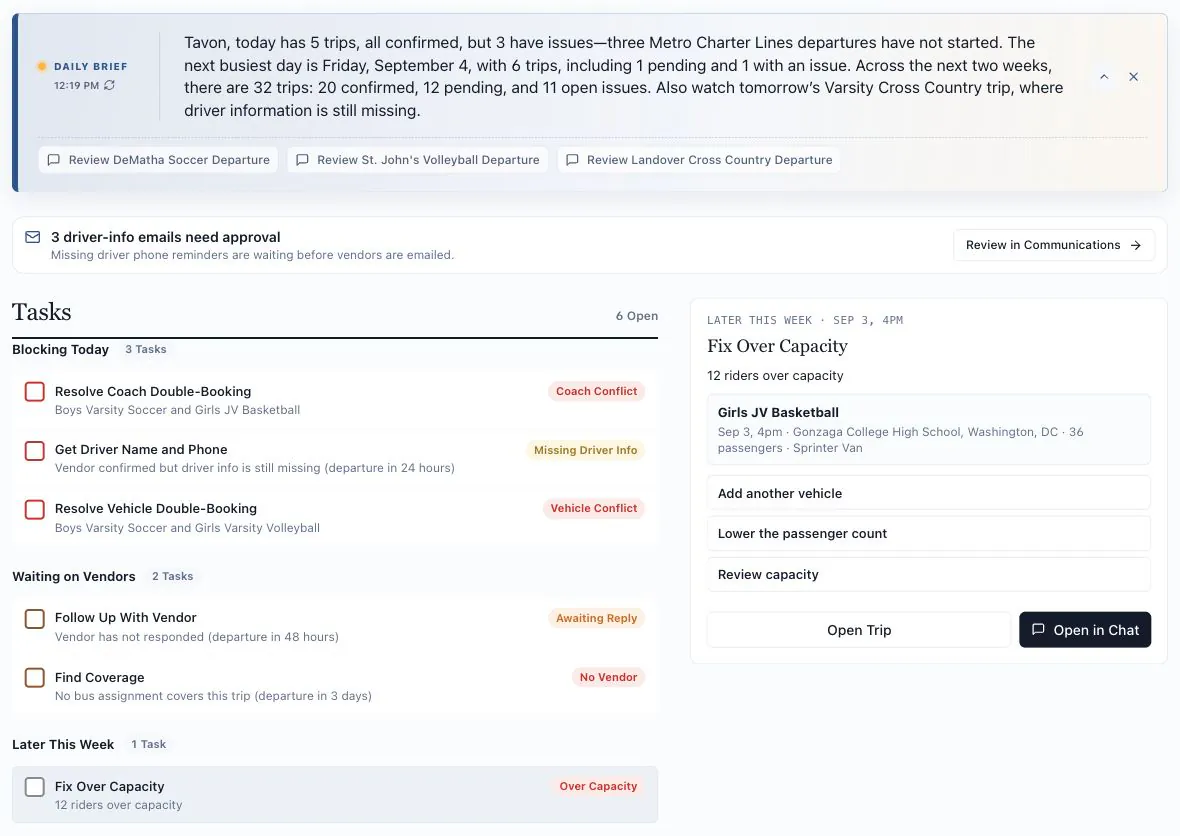
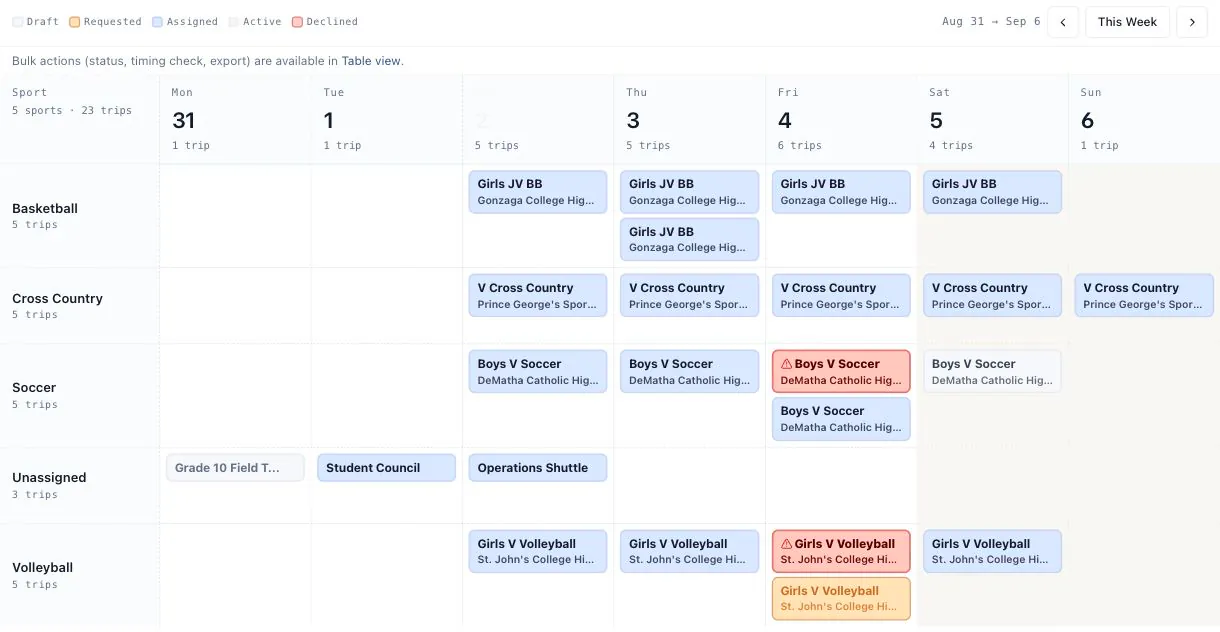
Stop double and triple checking. RoadGame requests the buses, chases the confirmations, and gets coaches the details, while flagging the trips that need your attention.
“I checked this fifteen times. And then I checked it ten more times.”
“What’s the driver’s number again?” I’ve sent that same number to the same coach four times this season.
A schedule change happens. There’s a waterfall of tasks: update the sheets, tell the coach, tell the bus, get confirmation.
“I was coaching. Couldn’t get to my computer. The other coach is calling, his bus isn’t here.”
“You send the list and you assume they got it. No confirmation. Nothing.”
“I don’t know the price breakdown. I just get ‘your trip on a yellow bus is $800.’”
“Four athletic vans and I don’t own the schedule for any of them. Another AD does.”
“When I put my head on the pillow, there’s so much uncertainty about what tomorrow will hold. Literally every night.”
Step 1
A CSV from Arbiter, rSchoolToday, or Google Sheets. Your season becomes trips, ready to review and send.
Step 2
Buffers, budgets, van priority, who reads email and who reads texts. Describe your rules in plain English once and your RoadGame assistant remembers them, applying them to every trip from then on.
Step 3
Email and text with a secure one-tap link. No login, no new portal, no training for them.
Step 4
Every reply lands on the trip it belongs to, no piecing details together from threads and screenshots.
Step 5
At-risk trips rank to the top, so you know what to fix tonight, not at 6 a.m. tomorrow.
Step 6
Schedules change. It happens. Your assistant works the change with you: the new time out to the vendor, a fresh confirmation chased, and every affected coach and stakeholder updated. You approve the plan; it does the legwork.
Step 7
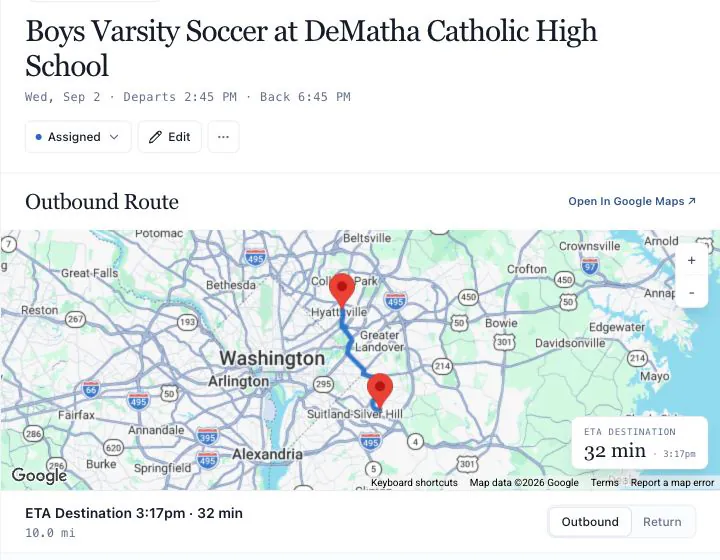
Bus number, driver name, and ETA, in whichever channel each coach actually reads.
Anytime
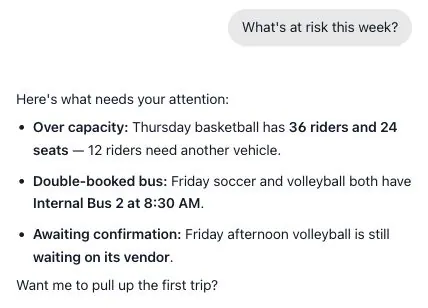
Chat in the app or text the number. “Who hasn’t confirmed for Friday?” “Move the volleyball bus to 3:15.” Anything you can do in the platform, you can ask for in a sentence.
After the trip
Every request, reply, update, and notification is logged. Over time you build a vendor track record you can actually use at renewal.
RoadGame remembers how your department actually runs, then turns that into flags, insights, and actions for the next trip.
Standard Inputs
Teams & Rosters
Schedules
Bus Vendors
Coaches & Staff
Budgets
Venues & Routes
Personalization Engine
Its Unique Nuance · Remembered
Coach Kelly needs 45 min before warmup; Rivera wants 30, default is 20.
RoadGame Output
Action
Kelly’s Wednesday away now leaves at 2:15, not 3:00, back-solved from her buffer, live ETA and game start. No more “why so early?”
RoadGame works with the schedule, vendors, and team routines you already have.
Pricing will be tailored to your department size, feature needs, and monthly or annual billing preference.
Prefer to pick a time? Choose A Time
Request Received.
Thanks for your submission. We will reach out to you within 24 hours.